

Creative Direction
Visual references for commercial API workflows
These stills come from external IMA creative assets and are used here as art direction reference for image-led or campaign-style motion workflows.
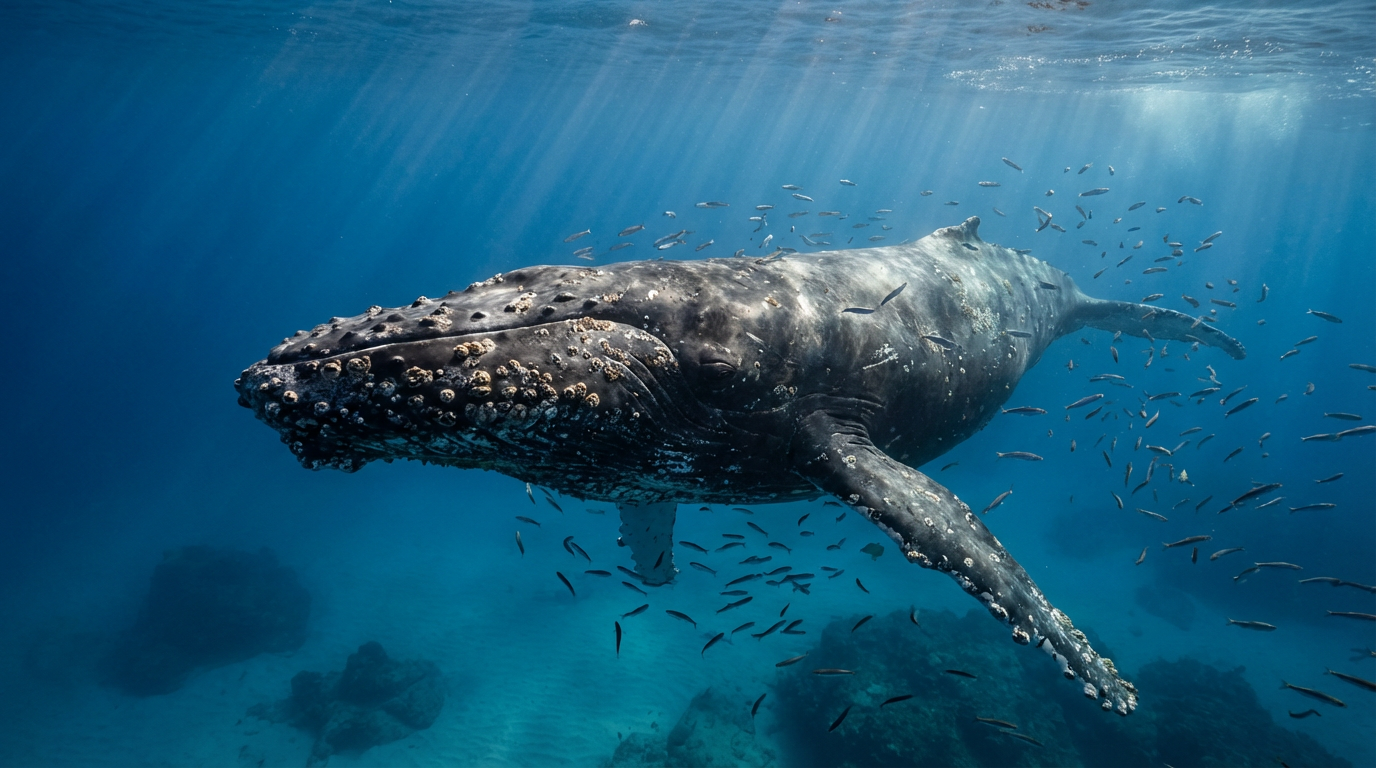
Reference Example
Whale First Frame
A clean, well-lit source image like this works well for frame-guided motion workflows where you want the animation to stay deliberate instead of noisy.
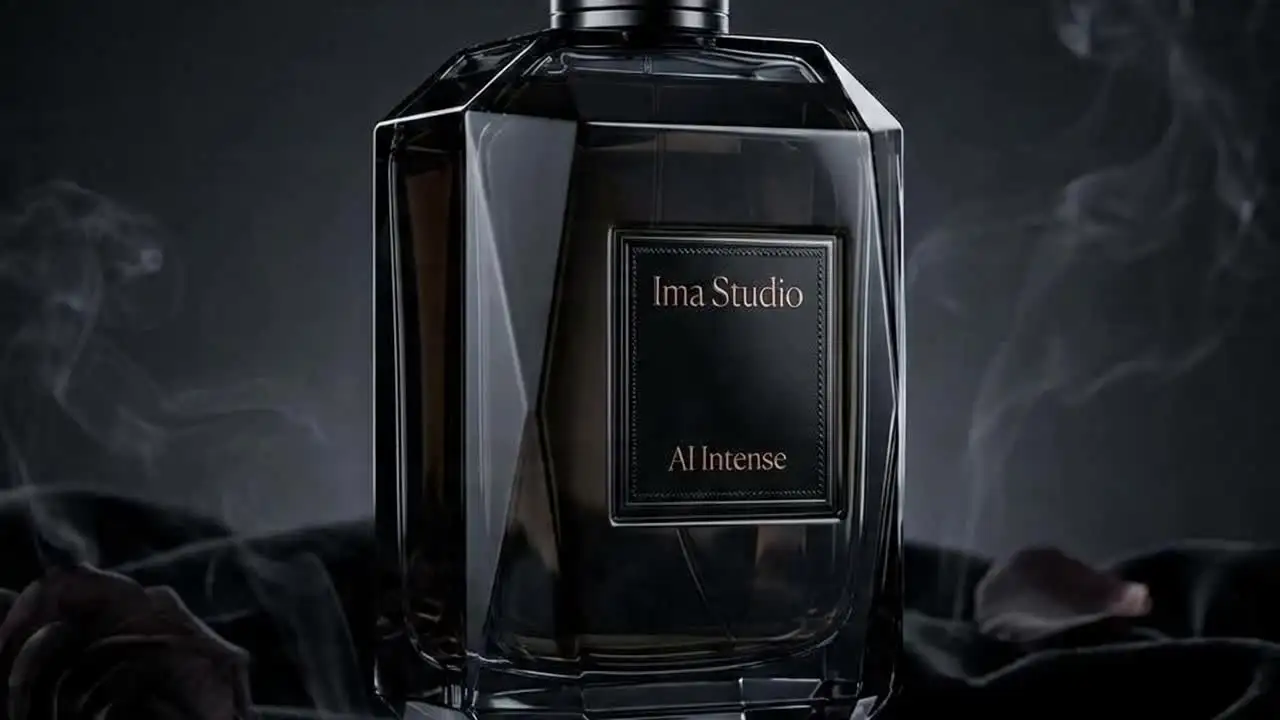
Scene Direction
Atmosphere Reference
Use a cinematic still like this when you want Wan 2.7 prompts to lock onto camera mood, texture, and lighting style before you move into text-to-video or reference-driven generation.
Available Endpoints
Start building with the Wan 2.7 API
Multiple endpoints for text-to-video, image-to-video, fast preview flows, and async job retrieval. This section is laid out more like a product catalog than raw docs so users can scan what to use first.
Endpoint
Text-to-Video
/v1/video/wan-2.7/generate
Generate prompt-only Wan 2.7 clips with aspect ratio, duration, negative prompt, audio URL, and prompt-expansion controls.
Best for: Use this for ideation, ad concepts, product teasers, social clips, and any workflow where you do not need an input frame or source video.
Endpoint
Image-to-Video
/v1/video/wan-2.7/image-to-video
Animate a starting image, define an ending frame, or continue an existing clip while keeping Wan 2.7's motion and camera logic under one endpoint family.
Best for: Best for product reveals, photo animation, first-and-last-frame transitions, or continuing a source clip with more controlled structure.
Endpoint
Reference-to-Video
/v1/video/wan-2.7/reference-to-video
Generate new scenes from one or more reference videos and images, with support for multi-subject prompts and optional multi-shot narration.
Best for: Use this when character identity, product appearance, or source-scene consistency matters more than raw one-shot generation speed.
Endpoint
Video Edit
/v1/video/wan-2.7/edit
Edit an existing video with natural-language instructions, optional 1 to 9 reference images, explicit resolution and duration controls, and audio handling options.
Best for: A good fit for variant creation, recolors, object swaps, scene restyling, and editing a winning clip instead of regenerating it from scratch.
Endpoint
Job Status
/v1/jobs/{jobId}
Track whether a Wan 2.7 generation or edit request is queued, running, completed, or failed in ImaRouter's async workflow.
Best for: Needed for production applications that queue jobs, show progress states, or retrieve final outputs once the render is complete.
Get started today
Ready to integrate Wan 2.7?
Try the API directly in the console, or reach out to the team for onboarding, pricing, and enterprise setup.
API Documentation
How to get access to Wan 2.7 API
Wan 2.7 on ImaRouter follows the same async pattern as Seedance and Kling: choose the right mode, submit the job, keep the id, and poll until the final video URL is ready.
const apiKey = process.env.IMAROUTER_API_KEY;

async function createWan27Video() {
  const createResponse = await fetch("https://api.imarouter.com/v1/video/wan-2.7/generate", {
    method: "POST",
    headers: {
      "Authorization": `Bearer ${apiKey}`,
      "Content-Type": "application/json"
    },
    body: JSON.stringify({
      prompt: "Luxury fragrance bottle on wet black stone, slow orbit camera, soft cinematic haze, sharp specular reflections, premium launch-film look",
      resolution: "1080p",
      aspectRatio: "16:9",
      durationSeconds: 5,
      expandPrompt: true
    })
  });

  const job = await createResponse.json();

  let status = "queued";
  while (status !== "completed") {
    await new Promise((resolve) => setTimeout(resolve, 3000));

    const statusResponse = await fetch(`https://api.imarouter.com/v1/jobs/${job.id}`, {
      headers: {
        "Authorization": `Bearer ${apiKey}`
      }
    });

    const jobState = await statusResponse.json();
    status = jobState.status;

    if (status === "failed") {
      throw new Error(jobState.error ?? "Wan 2.7 generation failed");
    }

    if (status === "completed") {
      return jobState.output[0].url;
    }
  }
}
Async flow
- 1
Choose the workflow mode first: prompt-only generation, image-to-video, reference-to-video, or prompt-driven video edit.
- 2
Submit the request with prompt, duration, resolution, and any frame, reference, audio, or edit inputs needed for that workflow.
- 3
Store the returned job id, then poll the ImaRouter job endpoint until the run is completed.
- 4
Read the finished video URL, usage metadata, and any actual prompt expansion output, then deliver or iterate from the result.
What Makes It Different
What makes the Wan 2.7 API different
This section is laid out to read more like a product narrative than a feature list. Each row shows a capability, why it matters, and what that looks like in a real workflow.
One family across four video workflows
That gives teams a cleaner migration path from ideation to controlled production instead of switching to a totally different model the moment consistency or editing enters the workflow.
Capability
One family across four video workflows
Wan 2.7 is useful because the stack does not stop at text-to-video. It covers prompt-only generation, image-to-video, reference-to-video, and prompt-driven video editing.
That gives teams a cleaner migration path from ideation to controlled production instead of switching to a totally different model the moment consistency or editing enters the workflow.
Example scenario
A growth team starts with text-to-video for moodboarding, moves to image-to-video for product shots, then uses video edit to create campaign variants from the winning clip.
Capability
First-and-last-frame control
Wan 2.7 image-to-video supports stronger frame control, including first-frame and last-frame guided motion.
This is especially practical for product transitions, before-and-after reveals, storyboard interpolation, and clips where you care more about the end state than pure freeform generation.
Example scenario
A brand animation flow starts from a still packshot, defines the last frame as the final shelf-ready composition, and lets Wan 2.7 fill in the motion between them.
First-and-last-frame control
This is especially practical for product transitions, before-and-after reveals, storyboard interpolation, and clips where you care more about the end state than pure freeform generation.
Reference-driven identity consistency
That makes Wan 2.7 more useful for multi-character scenes, recurring mascots, spokesperson videos, and product-led storytelling than a pure prompt-only model.
Capability
Reference-driven identity consistency
Wan 2.7 reference-to-video is useful for preserving character, prop, and style consistency from multiple reference videos and images.
That makes Wan 2.7 more useful for multi-character scenes, recurring mascots, spokesperson videos, and product-led storytelling than a pure prompt-only model.
Example scenario
A creative team combines two source videos and one prop reference so the generated scene keeps both speakers recognizable while introducing a new shared environment.
Capability
Audio-aware video generation
Current Wan 2.7 workflows can support audio-aware generation for text-to-video, image-to-video, and edit pipelines when you need pacing and mood tied to sound.
You can line up rhythm, pacing, and background sound logic earlier in the generation workflow instead of bolting every clip onto a separate sound stack from the start.
Example scenario
A music content product submits a short guide track so a lyric-free teaser clip matches the beat and pacing of the campaign audio.
Audio-aware video generation
You can line up rhythm, pacing, and background sound logic earlier in the generation workflow instead of bolting every clip onto a separate sound stack from the start.
Unified API Platform
Two API tiers for different use cases
Pick the right balance of quality, speed, and cost for your workflow. The section stays data-driven, but the presentation is closer to a clean product comparison table.
| Feature | Generate | ReferenceRecommended | Edit |
|---|---|---|---|
| Best for | Fast validation and prompt-first generation | Identity consistency and structured scene control | Variant creation and winning-clip revisions |
| Speed | Async job flow | Moderate | Moderate |
| Quality | Strong for T2V and I2V exploration | Best for multi-reference workflows | Best for preserve-and-change flows |
| Cost | Lowest cost tier | Mid-tier | Highest |
| Recommended use | Use the base generation paths when you want to validate prompt, timing, and camera language before adding reference or edit complexity | Start here when character consistency, prop continuity, or multi-subject control matters more than raw prompt-only speed | Use the edit path when you already have a winning clip and want controlled changes without rebuilding the full scene from scratch |
| API endpoints | /v1/video/wan-2.7/generate, /v1/video/wan-2.7/image-to-video | /v1/video/wan-2.7/reference-to-video, /v1/video/wan-2.7/image-to-video | /v1/video/wan-2.7/edit, /v1/jobs/{jobId} |
Use Cases
Industries using the Wan 2.7 API
This section keeps the same reusable data model, but the presentation is closer to a grid of industry cards instead of long narrative boxes.
Growth teams, brands, and performance marketers
Cinematic ad generation
Turn product launch concepts, brand moments, and social-first campaign prompts into short cinematic clips with more deliberate camera language than generic template video tools.
Wan 2.7's prompt handling, 1080p output, and optional audio support make it a practical fit for ad ideation and polished short-form creative.
Product marketers, social editors, and creative studios
First-and-last-frame transitions
Animate stills into transitions where you control both the opening and closing visual state instead of guessing the motion path from one frame alone.
This is one of Wan 2.7's most practical differentiators for product reveals, before/after sequences, and storyboard interpolation.
Filmmakers, creator tools, and branded content teams
Character-consistent storytelling
Generate scenes with repeated characters or props by supplying reference videos and images that keep identity and appearance more stable across clips.
Reference-to-video is more useful than prompt-only generation when continuity matters across a narrative or campaign.
Ecommerce teams and creative ops
Video variant editing
Edit a winning video into new variants by changing colors, materials, props, or mood without rebuilding the entire clip from scratch.
WaveSpeed's Wan 2.7 video edit path is useful when you want natural-language changes plus optional image guidance while keeping temporal continuity.
Music products, social apps, and AV workflows
Music and audio-led motion
Guide clip rhythm or soundtrack behavior by attaching audio input or using routed audio-generation parameters in providers that support them.
This makes Wan 2.7 stronger for lyric-free teasers, audio-synced mood pieces, or short-form marketing clips that need pacing tied to sound.
Platform teams and multimodel products
Model routing without rewrite risk
Start with a direct provider during experimentation, then route through a unified video API once you need fallback, pricing abstraction, or easier switching across models.
OpenRouter's /api/v1/videos and similar routed layers reduce integration churn when the video model landscape moves faster than your application roadmap.
Examples
Wan 2.7 API examples
Prompt directions paired with visual reference frames. Use them as inspiration for landing pages, creator tooling, commercial mockups, or API playground defaults.
Neon rain portrait
Text-to-video mood piece
A strong T2V prompt spells out subject, camera motion, lighting, reflections, and emotional tone instead of relying on generic cinematic keywords.
Close-up portrait of a woman pressing her palm against a rain-soaked window at night, neon reflections in cyan and magenta, shallow depth of field, slow push-in camera, cinematic lens artifacts, emotional stillness.

Kite handoff transition
First-and-last-frame control
This is the kind of structured I2V prompt where Wan 2.7's frame endpoints matter more than freeform camera invention.
Use the first frame as a father and daughter launching a kite in a bright park and the last frame as the kite soaring high above them at golden hour. Fill the motion with a soft circling camera and natural wind-driven movement.
Cafe reunion with references
Reference-to-video scene
Use numbered references in the prompt when your workflow depends on who appears where and how multiple subjects interact in the final shot.
Video 1 and Video 2 meet in a warm neon cafe at dusk. Video 2 places image 3 on the table while Video 1 leans forward smiling. Keep both identities stable, preserve wardrobe details, and add subtle camera drift.
Motorcycle recolor edit
Prompt-driven video edit
A practical edit prompt isolates the intended change while explicitly preserving motion, framing, and everything that should remain untouched.
Change the motorcycle from matte black to saturated cobalt blue. Preserve motion blur, rider position, camera path, and the urban night lighting already present in the clip.
How To Use This API
How to use Wan 2.7 API
This quick-start walkthrough is written to rank for integration-style searches while staying concise enough for busy developers and operators.
- 1
Choose your Wan 2.7 mode
Start by deciding whether the workflow is prompt-only generation, frame-guided motion, reference-driven generation, or editing an existing source clip.
- 2
Pick the provider path
Choose whether the workflow is prompt-only generation, frame-guided motion, reference-driven generation, or editing an existing clip.
- 3
Prepare reference inputs carefully
Use clean first frames, distinct reference videos, and optional audio only when each input is materially helping motion, identity, or pacing instead of adding noise.
- 4
Set resolution, aspect ratio, and duration
Run 720p and shorter durations during exploration, then rerender at 1080p or longer duration only after you know the scene direction is working.
- 5
Submit async jobs and poll results
All three provider paths are asynchronous at the generation layer. Store the request or job id and make result polling part of your normal application flow.
FAQ
Frequently asked questions about Wan 2.7 API
FAQs stay compact and skimmable here. The content is still data-driven for SEO, but the layout is cleaner and less visually heavy.
What is Wan 2.7 API?
Wan 2.7 API is the current provider-hosted or routed interface for Alibaba's Wan 2.7 video generation stack, covering text-to-video, image-to-video, reference-to-video, and, on some providers, prompt-driven video editing.
Does Wan 2.7 support text-to-video and image-to-video?
Yes. The ImaRouter page supports both text-to-video and image-to-video workflows, including 720p and 1080p output, flexible aspect ratios, and async job handling.
Can I control both the first and last frame?
Yes. Current Wan 2.7 image-to-video provider pages explicitly support first-and-last-frame workflows, which is useful for transitions, product reveals, and more controlled motion between two visual endpoints.
What is reference-to-video used for?
Reference-to-video is the mode to use when you need character, prop, or scene consistency from one or more source videos and images.
Does Wan 2.7 support audio-aware generation?
Yes. Audio-aware modes can be part of the Wan 2.7 workflow when you need clip pacing or mood to follow a guide track or sound-driven structure.
What resolutions and durations are available?
Across the current cited provider pages, Wan 2.7 commonly supports 720p and 1080p. Text-to-video and image-to-video typically run from 2 to 15 seconds, while reference-to-video and video edit are usually shorter-duration workflows.
How much does Wan 2.7 cost?
Wan 2.7 starts from roughly $0.10 per second for lighter 720p workflows, with higher-resolution and reference-heavy runs priced above the base tier.
Which provider should I start with?
If you are integrating through ImaRouter, start with the generation, reference, or edit mode that best matches your workflow and keep the same async job pattern across all three.
Why use ImaRouter for Wan 2.7 instead of wiring each provider separately?
ImaRouter combines model routing, five-modality coverage, transparent pricing, automatic failover, and faster new-model onboarding so teams do not have to integrate and monitor providers one by one.
Model Directory
Browse the full model market before you choose your route.
Use the `/models` catalog to scan providers, modalities, reasoning support, context windows, and pricing metadata from a local OpenRouter snapshot. It is the fastest way to compare what exists before you decide which models should be prioritized on ImaRouter.
Get Started
Validate Wan 2.7 on ImaRouter, then productionize the workflow that wins
Use the playground to validate prompt, frame, reference, or edit workflows, then move the exact same async pattern into production with ImaRouter. Use one API surface for 200+ models across five modalities, with transparent routing, automatic failover, and fast new-model onboarding.